
Features
What you can do with Dawn Light
Every feature below is in the app today, shown in a real screenshot. Unlimited entries, transcripts, search and iCloud sync.
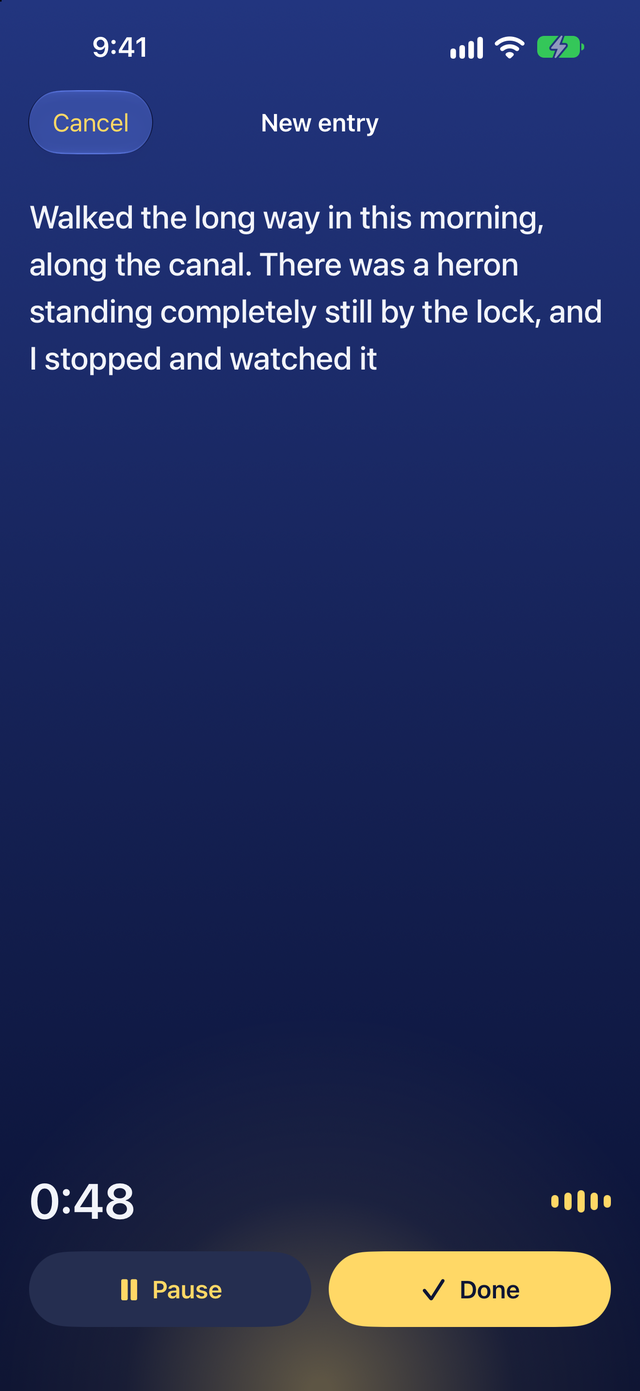
Your words appear as you speak
Tap the sun on Today and talk for a minute or half an hour. Apple's speech model writes your words on the screen as you go, on your device. Pause when you need a moment and tap Done to save.
- Record from Control Center, the Lock Screen, the Action button or Siri
- Type an entry when talking out loud is not an option
- Keep the recording with each entry, or only the words
On iPhone and iPad with iOS 26 or iPadOS 26 or later. Recording on Apple Watch is part of Plus.
Today at a glance
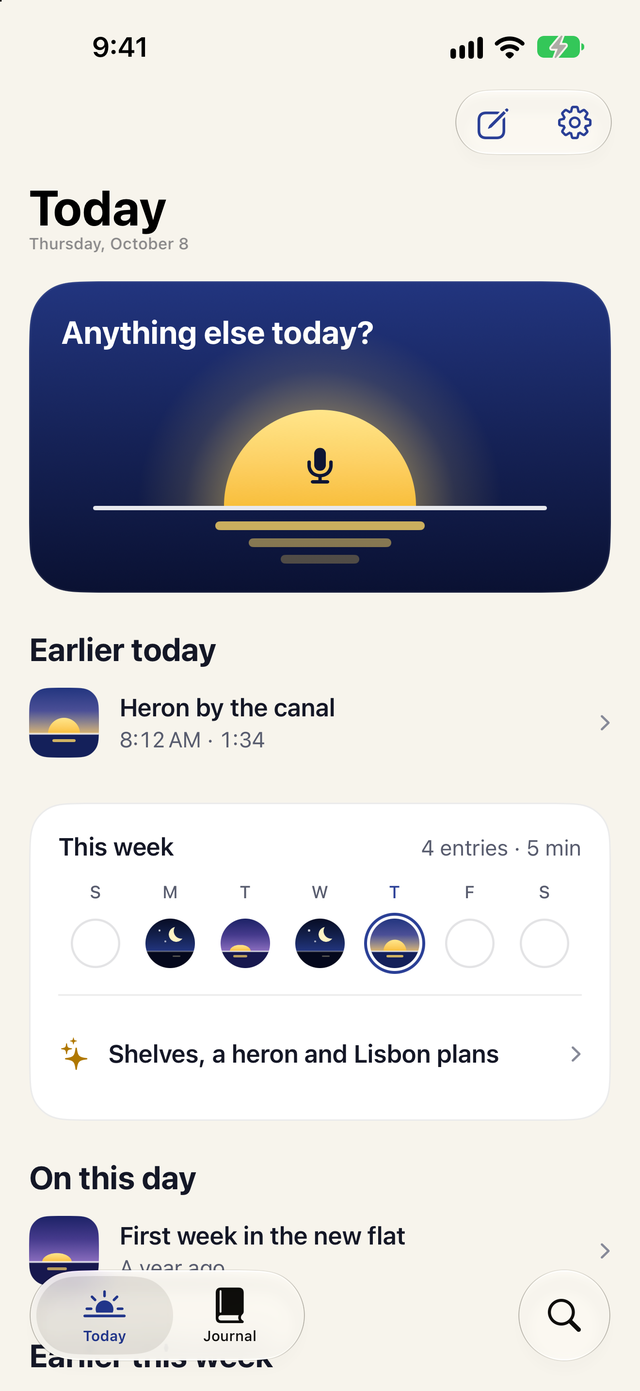
Today opens on the sun, which is the record button. Below it are today's entries, your week as a row of skies and what you said on this day in earlier years.
- A one-line recap of your week, with Plus
- An optional daily reminder that never shows what you said
Free on iPhone and iPad with iOS 26 or iPadOS 26 or later, apart from the weekly recap.
Every entry at a glance, with Plus
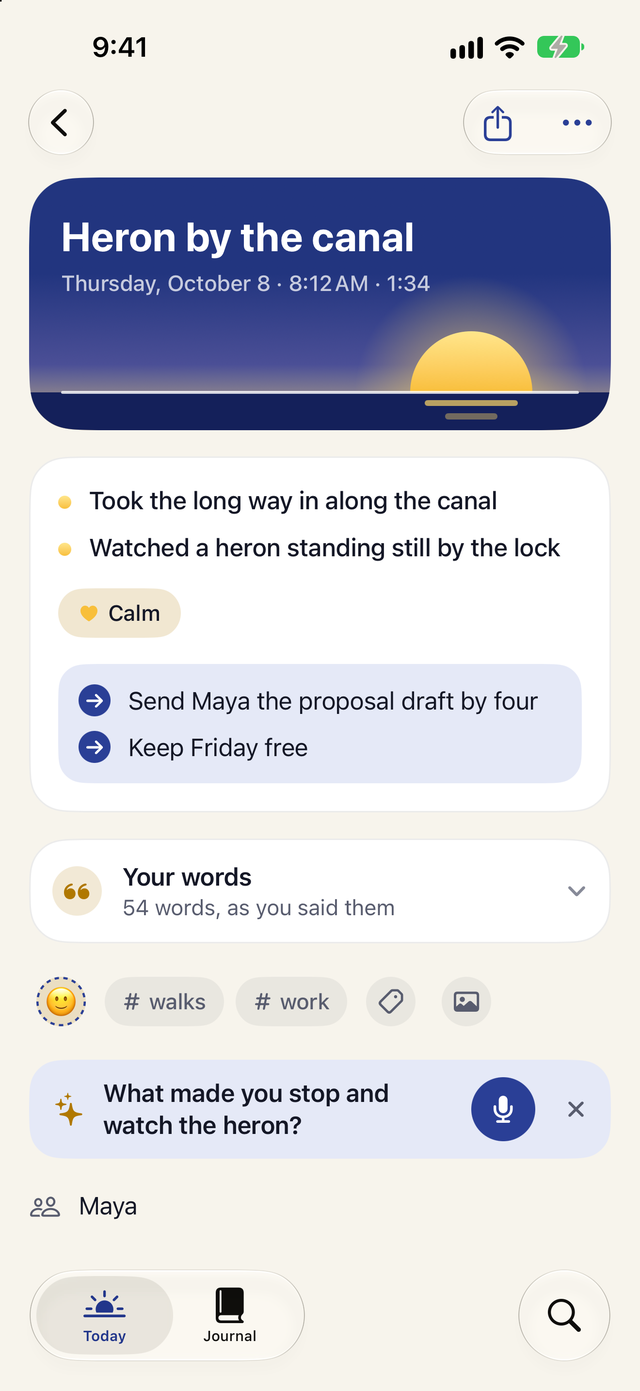
Plus lays out each entry as what happened, how it felt and what's next, drawn from your own words. Your transcript stays exactly as you said it.
- A title, suggested tags and a mood
- The people and places you mention
- An optional follow-up question when there is more to say
- Your first entry is summarized free
Part of Dawn Light Plus. Needs Apple Intelligence turned on, on a supported iPhone or iPad.
Every day you talked
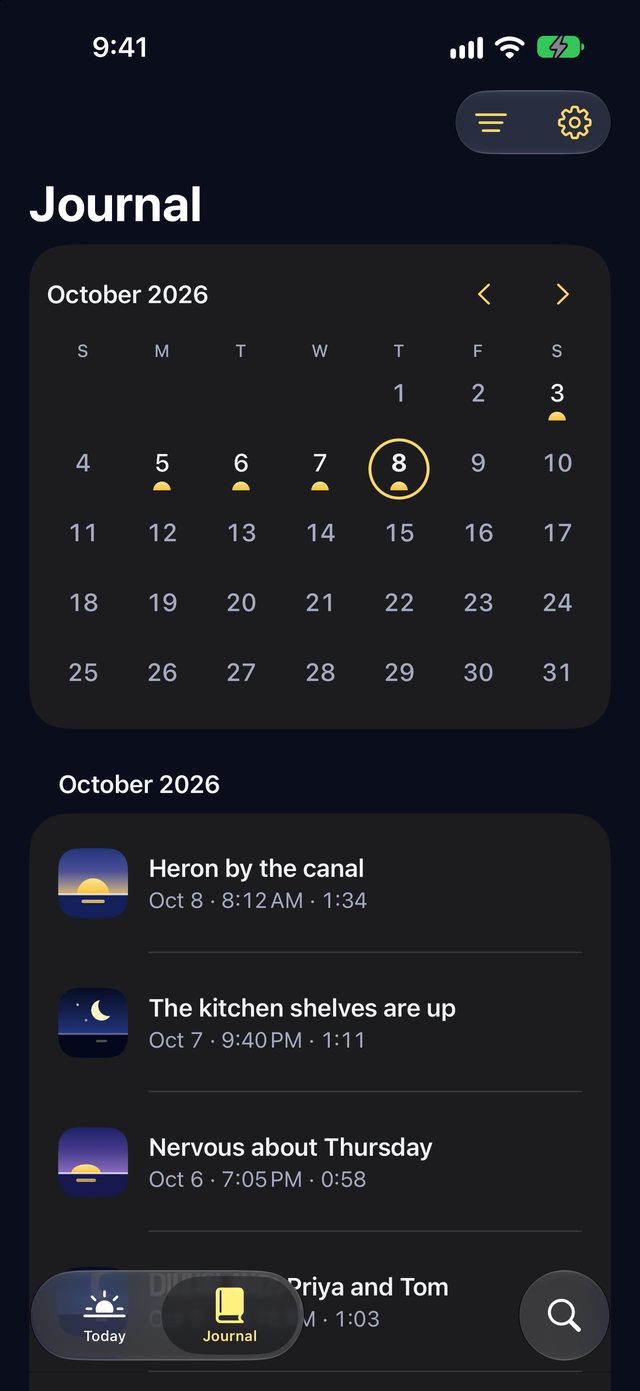
Journal keeps every entry by date. The calendar marks the days you talked, and you can show one tag at a time. On iPad, an entry opens beside the list.
- Add photos to any entry
- Lock your journal with Face ID
- Sync between iPhone and iPad through your own iCloud
Free on iPhone and iPad with iOS 26 or iPadOS 26 or later.
Find anything you said
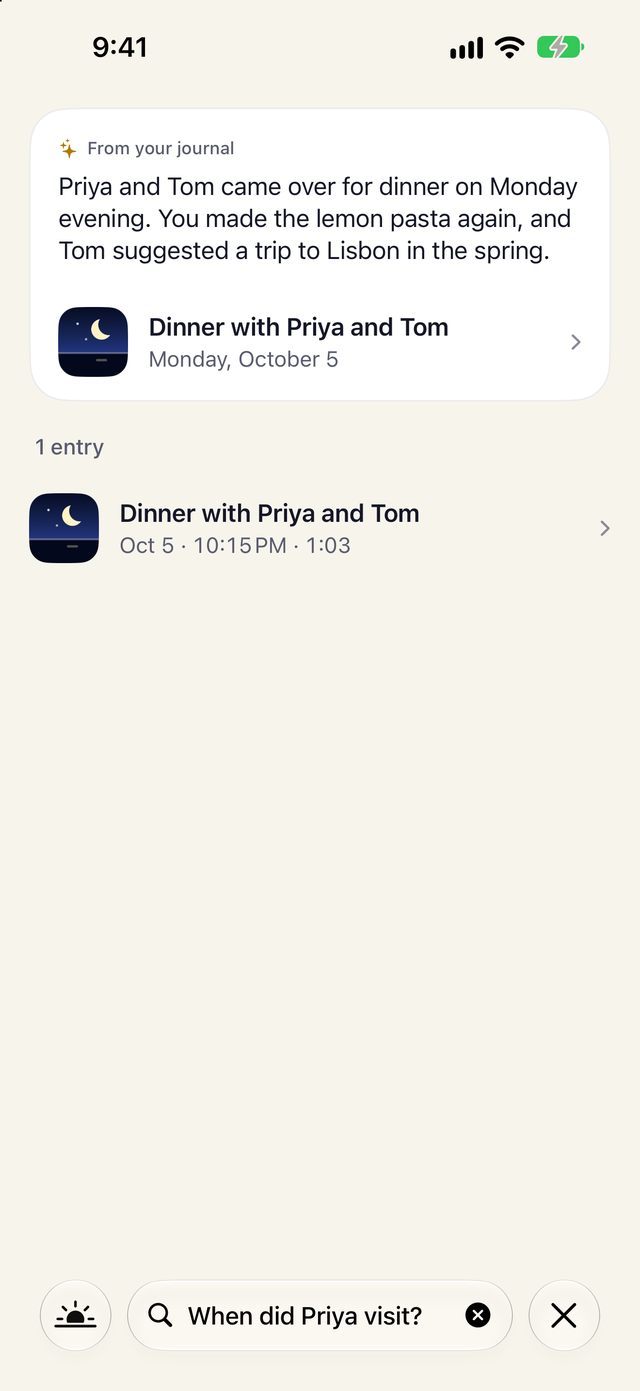
Search looks through every word, title, tag, name and place in your journal, free. With Plus, ask a question such as "When did Priya visit?" and get an answer from your own entries, with links to the entries behind it.
Search is free. Ask is part of Dawn Light Plus and needs Apple Intelligence.
Private, on your device
Your voice becomes text on your device, and Plus uses on-device Apple Intelligence. Dawn Light has no account, no server, no ads and no tracking. Entries sync only through your own iCloud, when you turn sync on.
- Import from Day One and Apple Journal
- Export everything as Markdown, JSON and PDF, with audio and photos
- Delete all data from Settings at any time
Free on iPhone and iPad with iOS 26 or iPadOS 26 or later.
Try Dawn Light free.
Talk for a minute tonight and read it back next year. Recording, transcripts and search stay free, with no limit.
Unlimited entries, transcripts, search and iCloud sync.
For iPhone, iPad and Apple Watch. Works with iOS 26, iPadOS 26 and watchOS 26 or later.